Submitting a document for professional translation is not as simple as sending over a file and waiting. How you prepare your source material directly impacts the quality, speed, and cost of the final translation. Poorly prepared documents lead to delays, revision cycles, and unnecessary expenses. Follow these practical steps to set your project up for success from the very first submission.
Why Document Preparation Matters
Translation agencies and freelance linguists work more efficiently—and produce better results—when source documents are clear, complete, and well-structured. Ambiguities in the source text create ambiguities in the translation. Formatting issues slow down the workflow. Missing context leads to guesswork. A few minutes of preparation on your end can save hours of back-and-forth.
Impact on Cost and Turnaround
Most translation services charge by word count. Reducing repetitive or unnecessary text before submission directly lowers your bill. Clean, well-formatted files also reduce the time required for desktop publishing (DTP) formatting, which is typically billed separately.
Step 1: Choose the Right File Format
The file format you submit affects how easily a translator can work with your content and how the final document will be formatted.
Preferred Editable Formats
- Word (.docx): The most widely accepted format for document translation
- PowerPoint (.pptx): Ideal for slide decks that need translated text in place
- Excel (.xlsx): Best for spreadsheets, product catalogs, and data tables
- InDesign (.idml): Standard for print design files
- HTML/XML: Common for web and software localization
Formats to Avoid When Possible
PDFs are not ideal because they cannot be directly edited. If you must submit a PDF, ask your translation provider if they offer PDF conversion services, or provide the source file alongside it. Scanned image PDFs require OCR processing before translation can begin, which adds time and cost.
Step 2: Write Clear, Unambiguous Source Text
Translation quality is fundamentally limited by source quality. Before sending your document, review it for clarity and consistency.
Simplify Complex Sentences
Long, convoluted sentences are harder to translate accurately. Break them into shorter statements where possible. Active voice is easier to translate than passive constructions.
Define Acronyms and Technical Terms
Include a glossary or terminology list with any acronyms, brand names, product names, or specialized terms that should remain untranslated or follow specific conventions. This is especially important in legal, medical, and technical translation projects.
Avoid Culturally Specific References
Idioms, slang, and culture-specific humor are difficult to localize and may require creative adaptation. If your text contains these elements, note them for the translator and indicate how much creative freedom they have.
Step 3: Finalize the Content Before Sending
One of the most common (and costly) mistakes is submitting a document for translation before it’s finalized. Changes made after translation begins require retranslation of modified segments and can disrupt the entire project.
Conduct a Final Editorial Review
Have a native speaker of the source language proofread the document before translation. Correct any spelling, grammar, or factual errors. Check that all content is complete and nothing is marked as placeholder or to-be-determined.
Lock Down Formatting
Decide on final fonts, layouts, and design elements before sending to the translator. Structural changes after delivery may require reformatting at additional cost.
Step 4: Provide Context and Reference Materials
Context is one of the most valuable things you can give a translator. The more they understand about your audience, purpose, and brand voice, the better the translation will be.
Write a Project Brief
Include a short brief that describes: the purpose of the document, the target audience, the desired tone (formal, conversational, technical), and any specific instructions (e.g., keep the brand name in English).
Share Previous Translations
If you have previously translated materials, provide them as reference. This ensures consistency in terminology and style across your content library.
Include a Glossary or Termbase
A glossary of key terms with their approved translations eliminates ambiguity and ensures consistency, especially across large projects or multiple translators.
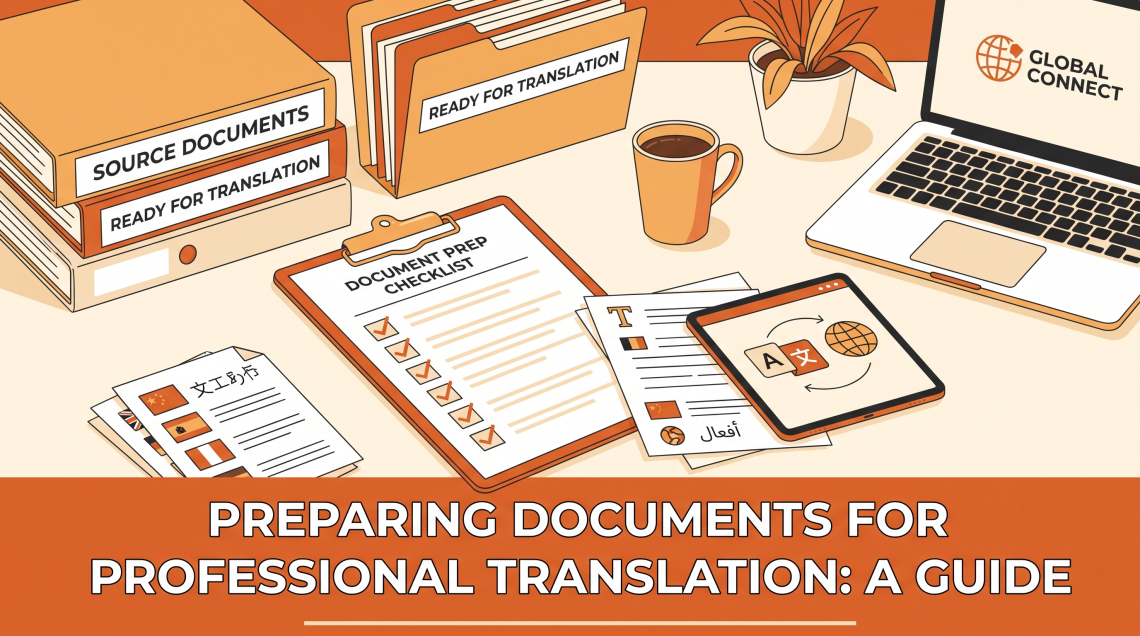
Document Preparation Checklist
| Task | Why It Matters | Priority |
|---|---|---|
| Use editable file format (.docx, .xlsx) | Enables efficient translation workflow | High |
| Proofread source text | Errors in source = errors in translation | High |
| Finalize all content | Avoids costly mid-project revisions | High |
| Provide a glossary | Ensures terminology consistency | Medium |
| Write a project brief | Guides tone and audience targeting | Medium |
| Share reference translations | Maintains brand consistency | Medium |
| Remove unnecessary text | Reduces word count and cost | Low |
Step 5: Understand What to Expect from Your Translator
Professional translators may come back with clarifying questions—this is a good sign. It means they’re investing in accuracy rather than guessing. Build time into your project schedule to respond to queries promptly.
Review Cycles
Plan for at least one round of review after the initial delivery. If your organization has bilingual staff or a target-market contact, have them review the translated text for naturalness and cultural fit.
Frequently Asked Questions
What file formats do translation agencies accept?
Most agencies accept .docx, .xlsx, .pptx, .pdf, .html, .xml, .idml, and plain text files. Always confirm with your provider if you have an unusual format.
Can I translate a scanned PDF?
Yes, but it requires an extra OCR (Optical Character Recognition) step to convert the image to editable text. This adds cost and may reduce accuracy depending on scan quality.
How do I count words for a translation quote?
Most translation tools count words automatically. In Microsoft Word, use the word count feature. For PDFs, you may need to convert to .docx first. Note that numbers and symbols are often excluded from word counts.
Should I include images and graphics?
If your document contains text within images, notify your translation provider. Text embedded in images must be extracted, translated, and re-inserted—this requires additional design work.
What is a translation memory and do I need one?
A translation memory (TM) is a database of previously translated segments. It’s maintained by your translation provider and helps reduce costs and improve consistency on future projects. Ask your provider if they use TM tools.
How long does professional translation take?
A professional translator typically handles 1,500–2,500 words per day. A 5,000-word document might take 2–3 business days, plus time for review and formatting.
What if I need to make changes after the translation is delivered?
Minor revisions are usually included in the project scope. Significant content changes are treated as a new project segment and billed accordingly. Always finalize your source text before submission.
Conclusion
Proper document preparation is an investment that pays dividends in quality, speed, and cost savings. By submitting clean, finalized files in editable formats, providing clear context and terminology guidelines, and building a collaborative workflow with your translation provider, you’ll consistently get translations that meet your expectations—and avoid the frustrations of unnecessary revisions.